Draw the program
Two modules on the canvas. summarize reads the ticket ({message}, a dataset column) and returns a field called summary. route reads that summary and returns queue. The edge between them maps summarize's output field to route's placeholder. The step with no outgoing edge feeds Evaluate, which compares queue with the label by exact match.
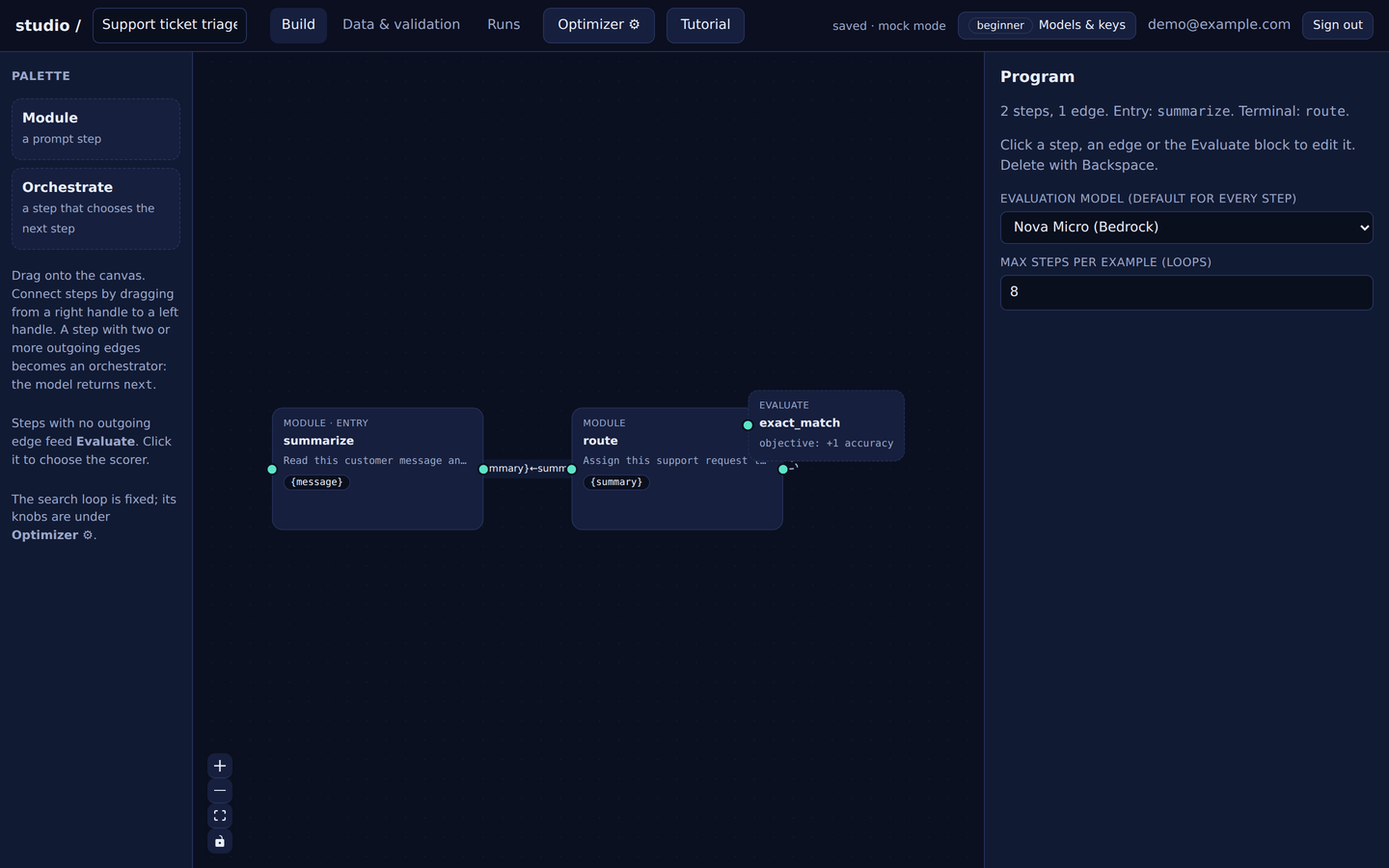
Read this customer message and state in one short line what the customer wants and which product or order it concerns.

Message: {message}Assign this support request to one queue: billing, shipping, refund, bug, account, or other.
Request: {summary}Attach data, validate, pilot
The sample dataset is 50 tickets with two columns, message and queue. Map {message} to the message column, choose queue as the label, and press Check data: the studio checks the graph, the placeholders, the labels and the scorer before any model is called. The studio holds out 10 rows the optimizer never sees.
Then the pilot: it evaluates the starting prompts twice with the cache bypassed to measure the model's own non-determinism, evaluates one random rewrite so a prompt that is flat under rewrites is caught early, and projects the cost of the full run. Here the projection was 216 evaluation calls and 24 reflection calls for four rounds — a fraction of a cent.
Optimize
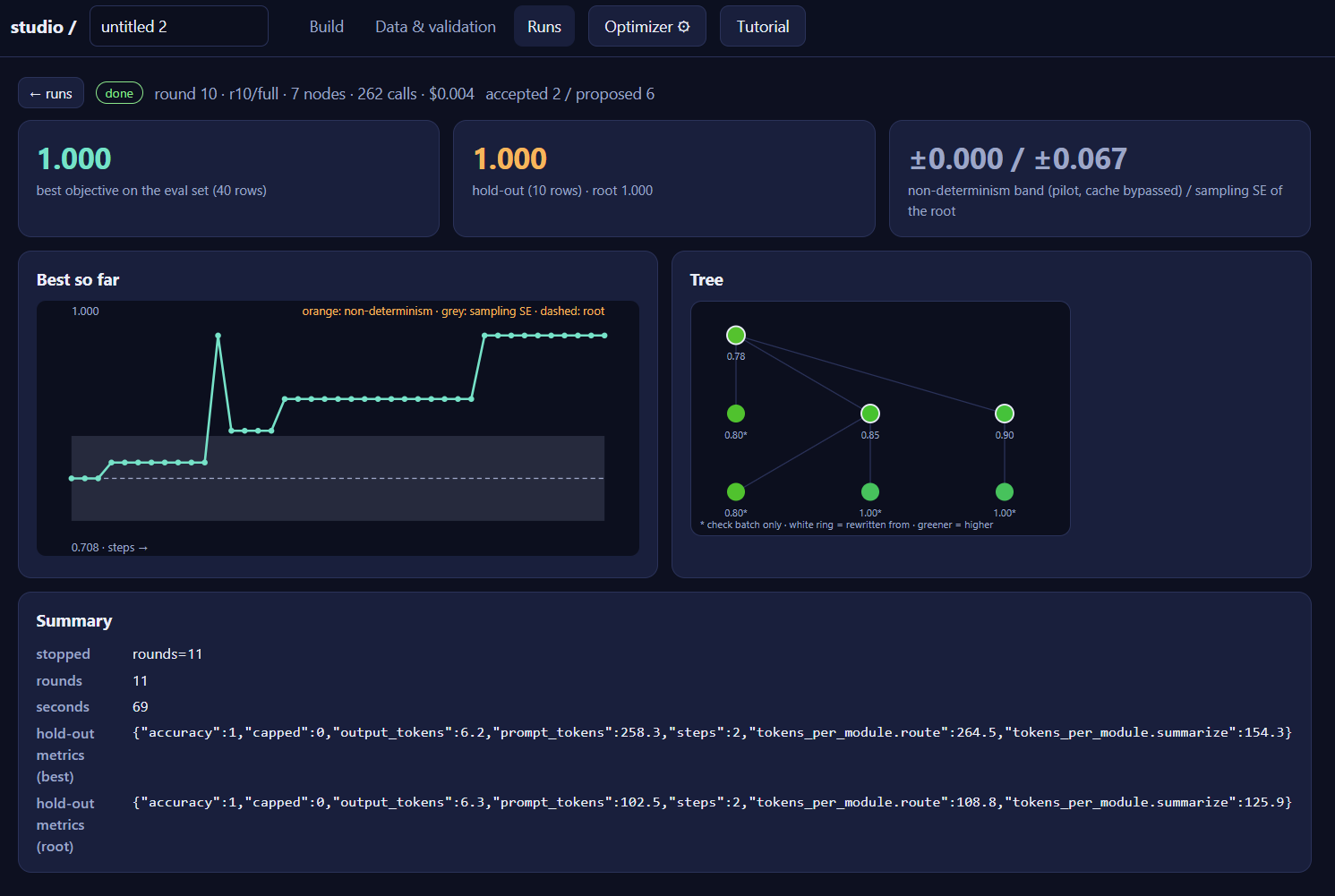
Ten rounds. Each round the optimizer picks a prompt from the current best set, shows a reflection model a few of the rows it got wrong, rewrites one step, and keeps the rewrite only if it beats its parent on the same rows. Evaluation runs on Amazon Nova Micro; reflection on Nova Lite.
Read what changed
Click any node in the tree and the studio shows every step's prompt, with the rewritten step diffed word by word against its parent, plus the per-row results and the critic's note on each miss. The root node is what you typed; the best node is what you ship.
Now look at the hold-out metrics in the summary. Accuracy 1.000 for both root and best — the routing was already right on those 10 rows. But prompt_tokens went from 102.5 to 258.3. The optimizer was told to maximize accuracy and nothing else, so it happily made the prompts two and a half times longer to win the last few training rows.
accuracy: 1.0 alone, longer is free. With accuracy: 1.0, prompt_tokens: −0.002, every added token has to earn its keep, and the run reports the tokens-vs-accuracy front instead of one number. Same canvas, same data, one field on the Evaluate block.Turn it into compression
Open the Evaluate block and add a weight for prompt_tokens to the objective — negative, small, in the units of your accuracy metric. The studio already records prompt_tokens, output_tokens and per-module token counts on every evaluation; adding the weight tells the optimizer they matter. Then run again from the same root, and read the compressed prompts off each step.
A compression walkthrough on this same project, with its own screenshots, is next on this page. For the measured results on a single-prompt task — 97 tokens to 6–29 across 12 seeds — see the findings.